EdgeJournal Free trial
For MT4 · MT5 · Exness · CSV / Excel traders
See exactly why you win and lose.

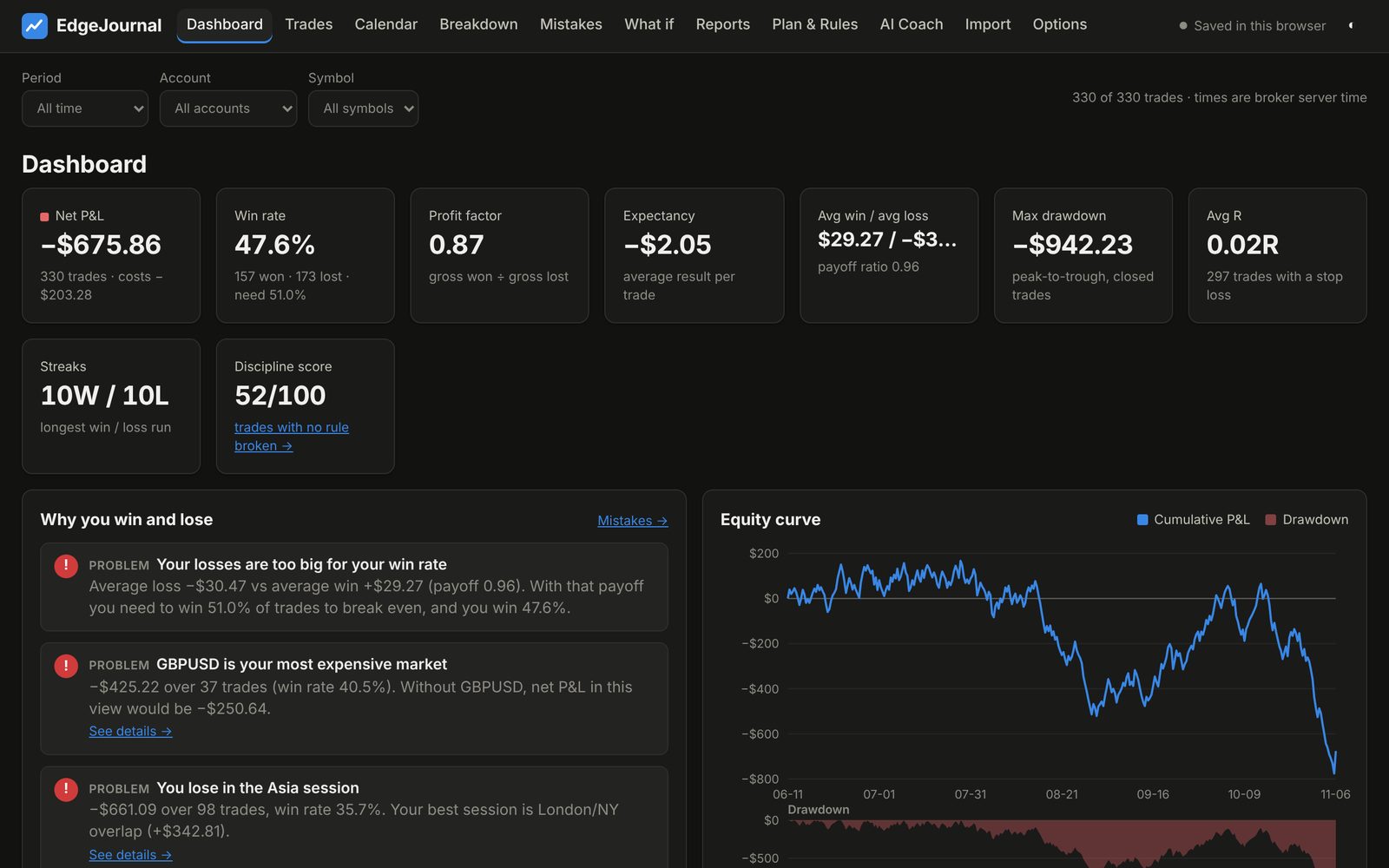
Import your trade history in one click. EdgeJournal finds the markets, sessions and habits that cost you money, scores your discipline, and gives you an AI coach that explains it in plain words.

Full features during the trial · No account needed · Your data stays on your computer

EdgeJournal dashboard with net P&L, win rate, profit factor, equity curve and plain-language insights
Reads Exness statement PDFMT4 / MT5 reports from any brokerCSV & Excel from other platformsWorks offline
Your trades already tell you what to fix.

Most traders lose money to a few repeat habits, not to the market. EdgeJournal makes them impossible to miss.

Mistakes, found automatically

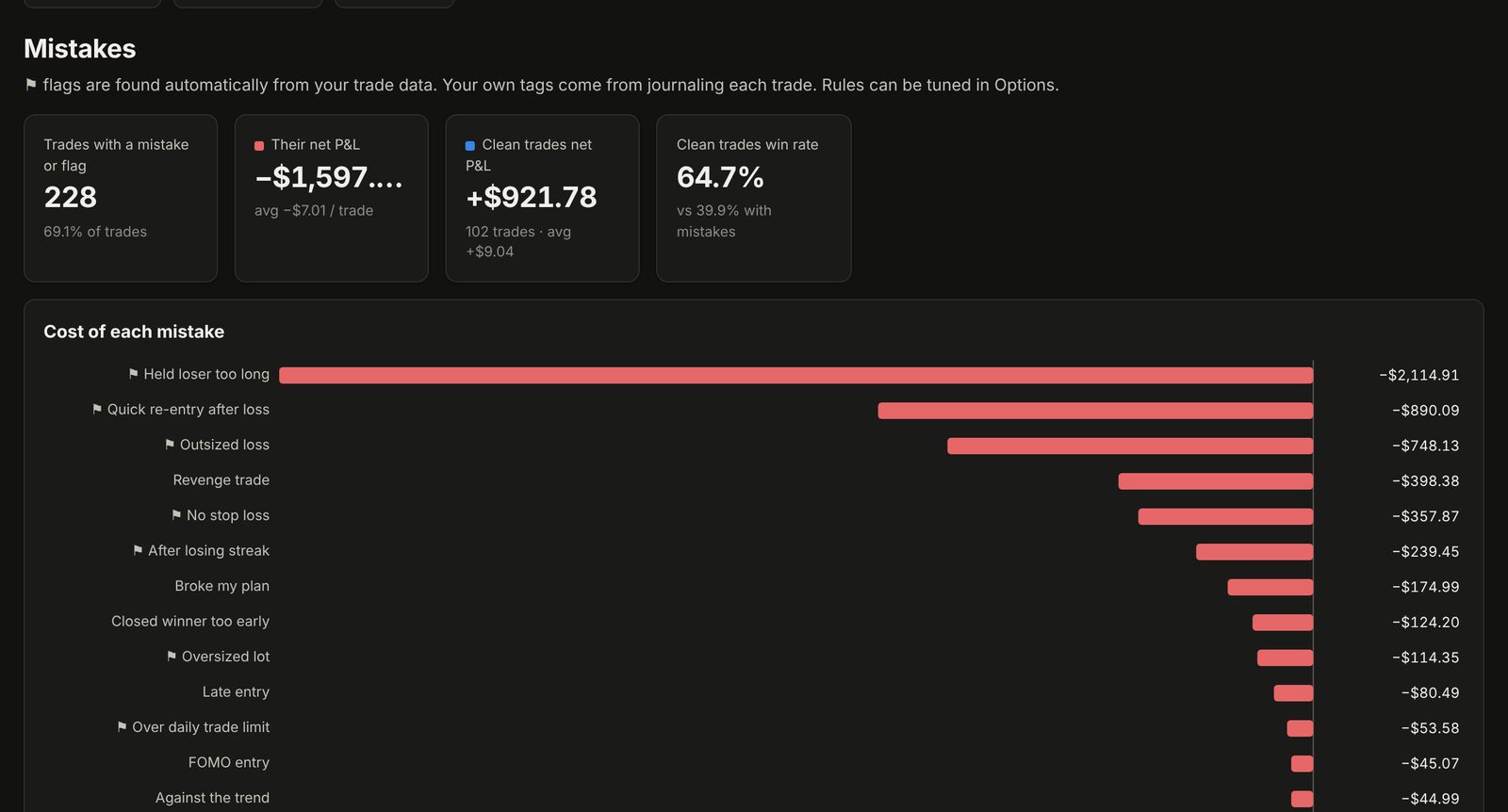
Every trade is checked for the habits that drain accounts, and each one gets a price tag.

  • Revenge trades, overtrading, trading after a losing streak
  • Oversized lots, missing stop losses, losers held too long
  • "Your P&L without these trades" for every mistake
Mistakes page showing the cost of each habit

"What if?": proof before you change

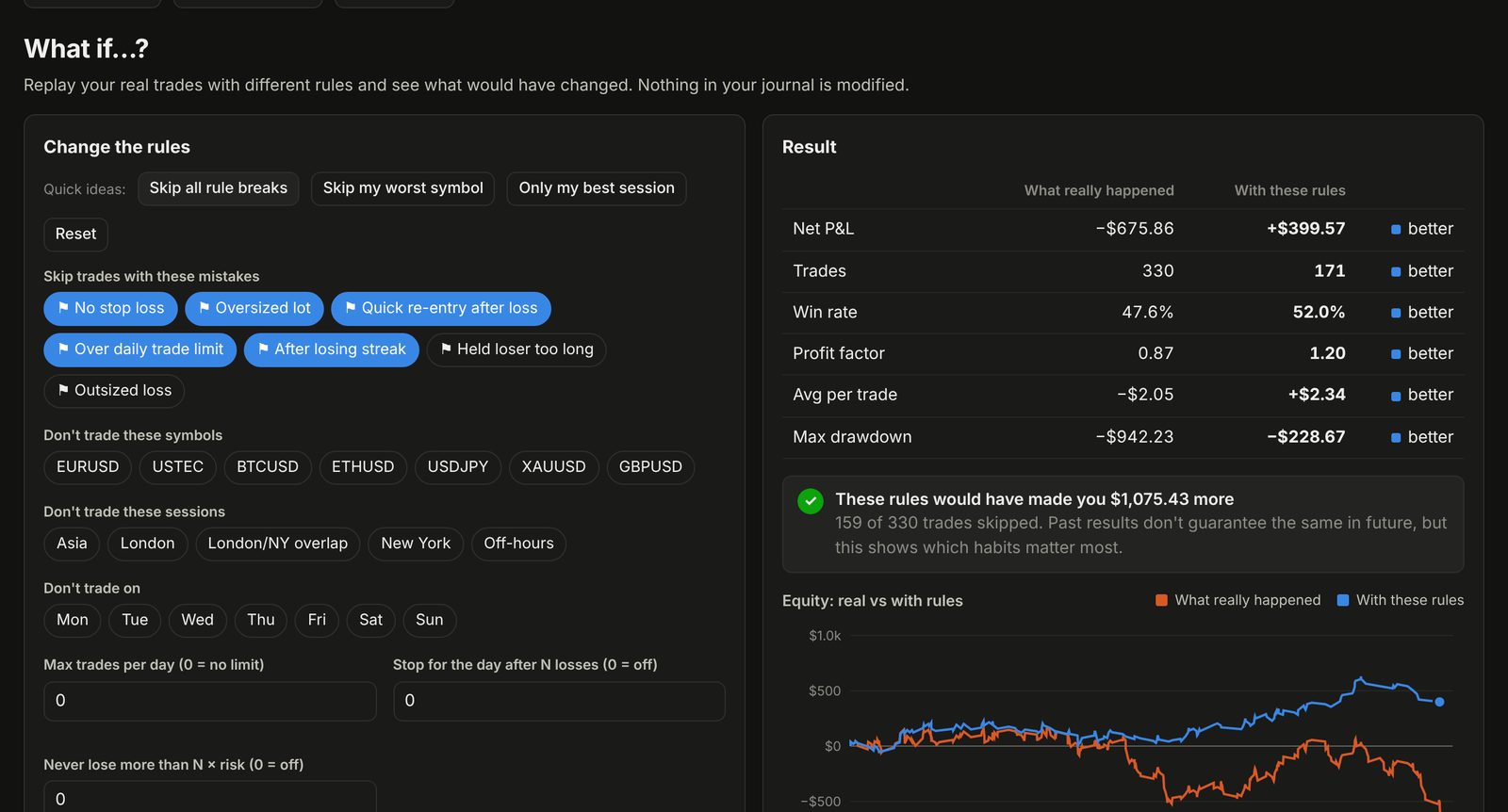
Replay your real trades with different rules: skip your worst symbol, stop after two losses a day, follow your plan. See the money it would have made or saved.

What-if simulator comparing real equity with rule-based equity

Your rules, your discipline score

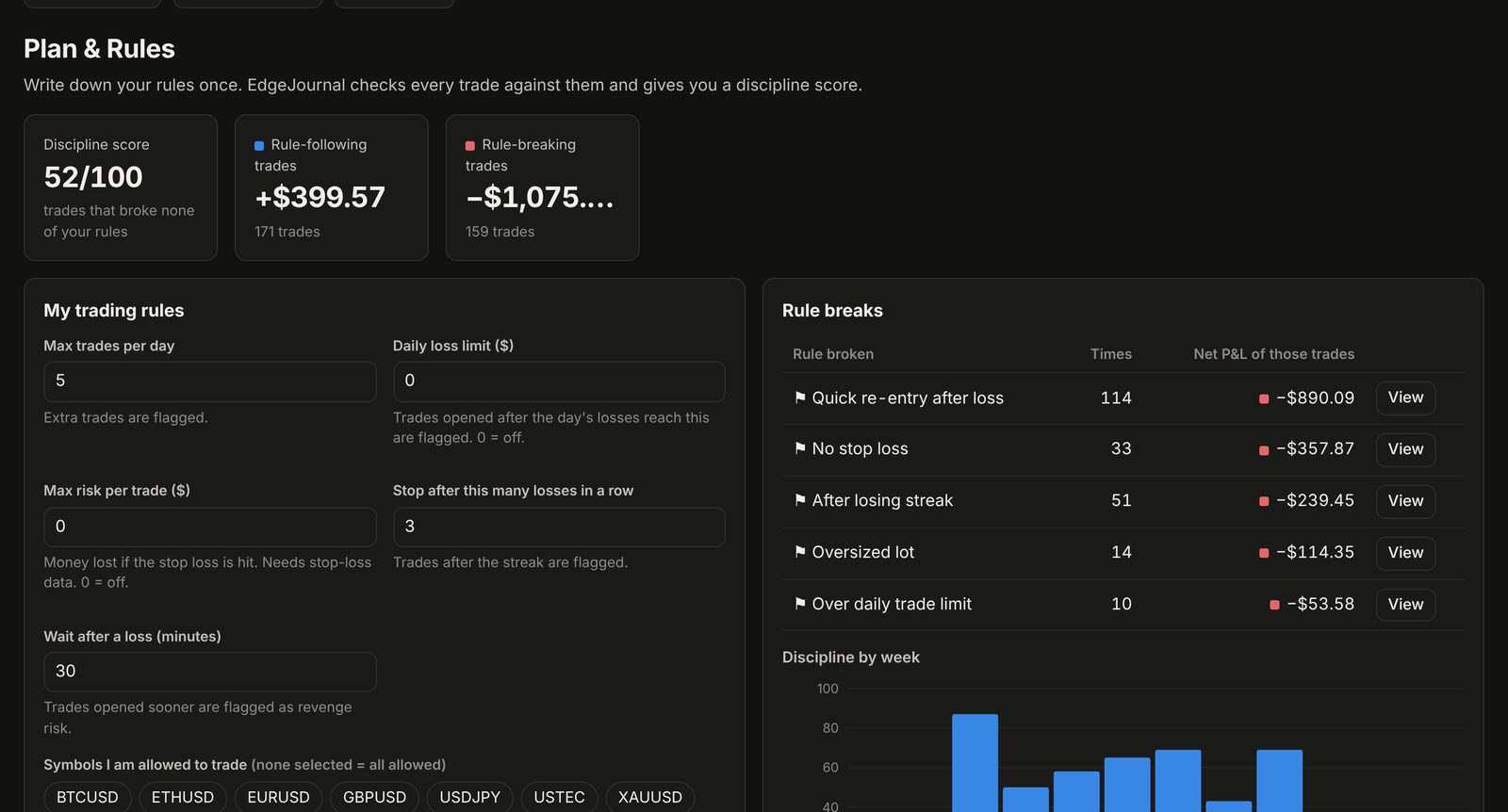
Set your own rules once: max trades per day, daily loss limit, allowed symbols and sessions. Every trade is scored against them, with a prop-firm challenge tracker and a position-size calculator.

Plan and rules page with discipline score

Everything in one place

Built for retail traders on MetaTrader brokers like Exness, XM, IC Markets and FBS.

🧠

AI Coach

A short review written from your own numbers: your 3 biggest leaks and 3 rules for next week. English, বাংলা, Hindi, Urdu, Arabic and more.

📅

Calendar & daily journal

Every day's P&L at a glance. Write your plan before trading and your review after.

📊

Deep breakdowns

By symbol, session, weekday, hour, setup, holding time, lot size, emotion and R-multiple.

📝

Weekly & monthly reports

Compared with the previous period, ready to copy or download.

🏆

Prop-firm tracker

Profit target, daily loss and drawdown progress for challenge accounts.

🔒

Private

No account and no broker password. Your journal stays in your own browser on your computer.

Start in 3 minutes

Nothing to install. Use Chrome or Edge on a Windows or Mac computer.

Download the trial

Click "Download free trial" and open the file in Chrome. Every feature is unlocked for 7 days.

Import your trades

Exness: Personal Area → Accounts → ⚙ → Statements → PDF. MT4/MT5: History → Report. Drop the file in.

Fix one habit a week

Read your insights and AI review, set your rules, and watch your discipline score and P&L.

Simple pricing

Try everything free for 7 days. Then choose a plan inside the app.

Monthly

$12 / month
  • All features incl. AI Coach
  • Free updates
  • Renew monthly, stop any time
Start free trial
Best value

Lifetime

$50 one-time
  • All features incl. AI Coach
  • Free updates
  • Pay once, use forever on your computer
Start free trial

Pay inside the app after your trial: card / PayPal (where available), bKash or bank transfer. Prices in USD.

Questions

Does EdgeJournal give trading signals or financial advice?

No. It analyses your own past trades and habits. It never tells you what to buy or sell, and past results do not predict future results.

Do you need my broker login or password?

Never. You only import a statement file that you download from your broker.

Which brokers work?

Exness (statement PDF, MT4, MT5) and any MetaTrader 4 or 5 broker via the History report. Other platforms work through CSV or Excel export: EdgeJournal asks once which column is which.

Where is my data stored?

In your own browser, on your computer. Use Import → Download backup to keep a copy. The AI Coach receives a statistical summary only when you press "Get my review".

Does it work on a phone?

Please use a computer (Windows or Mac) with Chrome or Edge. Phones handle downloaded app files poorly.

How do I buy after the trial?

When the trial ends, the app shows the plans. Pay by the method shown, and you receive your licence key or password by e-mail or WhatsApp. Each licence is for one computer.

Can I get a refund?

Yes, see our refund policy. You can also try everything free before paying.

Questions? Talk to us

We usually reply within a few hours.